

The Consultant
What it is for: when you do not know which agent to choose, or a job needs several agents in a row (minutes, then a summary, then a note for decision).
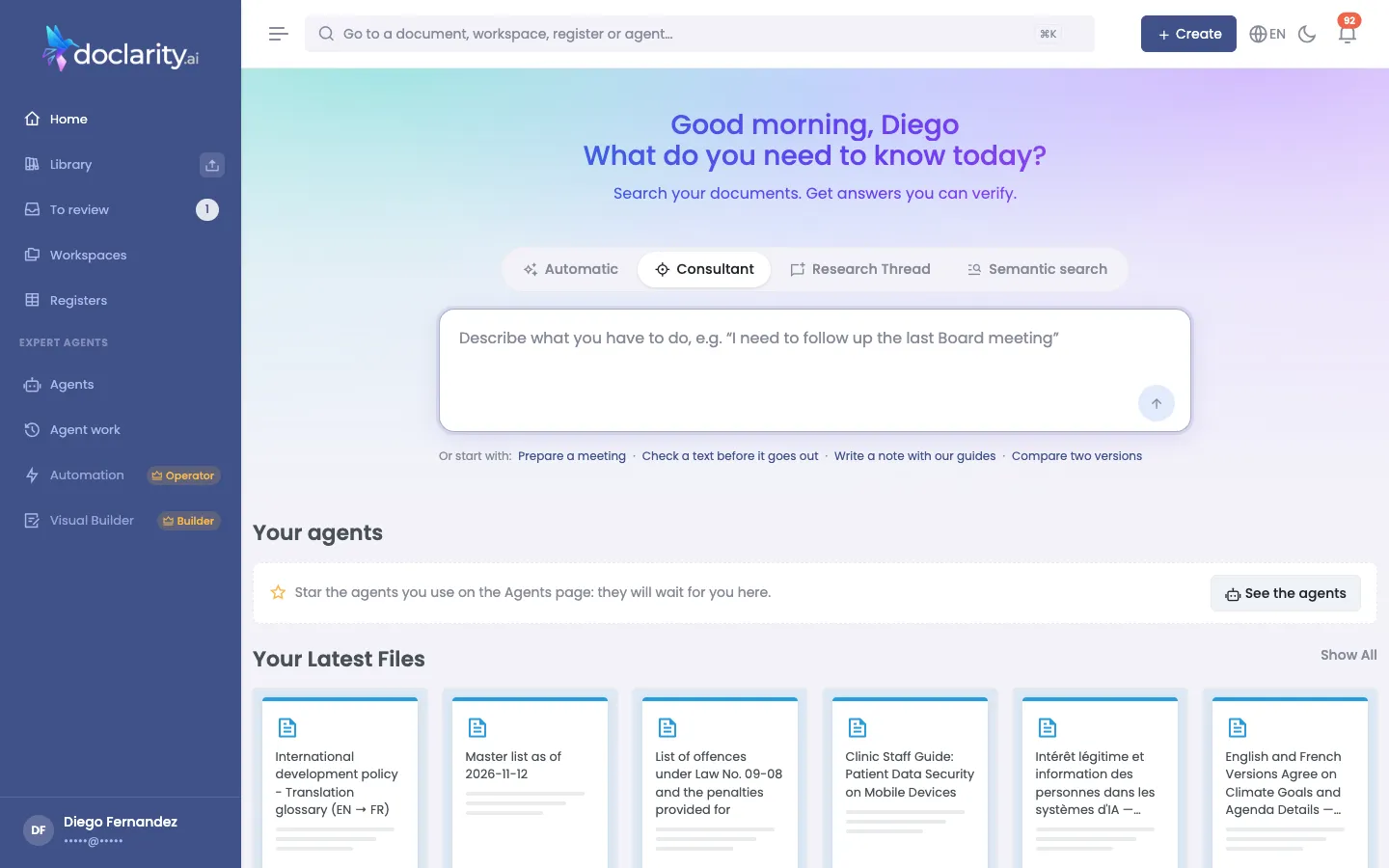
- Home › Consultant tab, or the What do you want to do? box (Consultant badge) of a workspace. The Consultant is included from the Author plan.
- Write your need, or click a suggested start: Prepare a meeting, Check a text before it goes out, Write a note with our guides, Compare two versions.
- The Consultant answers: the proposed agent, the documents it found (kept or set aside, with the reason, such as “a draft, not used” or “a replaced edition”), and the questions left.
- Reply or correct in the box (“rather the May minutes”).
- Each step uses credits and waits for your click: Launch step N. You can also Modify step N, Remove a step or Stop here. A failed step can be relaunched (Relaunch step N) or, if what was already read was kept, resumed (Resume step N). Nothing starts without your click.
The prepared paths
Section titled “The prepared paths”- Prepare a meeting: gather the previous minutes and the agenda, check where the previous meeting’s actions stand, a summary note on the agenda, review the rows in To review, then a Note for decision.
- Meeting follow-up: add the minutes to the file, extract the decisions and actions, send them to the register, review them in To review, then optionally a note for decision.
- Prepare the ISO audit: Scope and context, confirm the scope, gap analysis against the standard, review the coverage and the evidence requests, then Management review pack. See Quality and standards agents.
- New version of a procedure: find the procedure in force, write the new version, review and save it, then a checklist from the new text.
When the request is a plain question, the Consultant offers to Open a research thread: the thread opens with your question, and the search starts when you run it.
Good to know
Section titled “Good to know”- The Consultant works inside a file (a workspace): one conversation handles one matter. For another subject, New conversation.
- From Home, the plan starts with Create the dossier “…” or Use the dossier “…”. The conversation joins that dossier as soon as it exists.
- A conversation not yet filed in a dossier is in the Library, My work (type Consultation).
- Only the person who started a conversation can continue it. Other members read it.
Known limits
Section titled “Known limits”- A conversation has a maximum number of exchanges and a credit ceiling for planning: past that, open a new conversation or confirm you want to go on.
- If no agent does the job asked, the Consultant says so and explains why.