

The Library
What it is for: finding everything you can open, in one place.
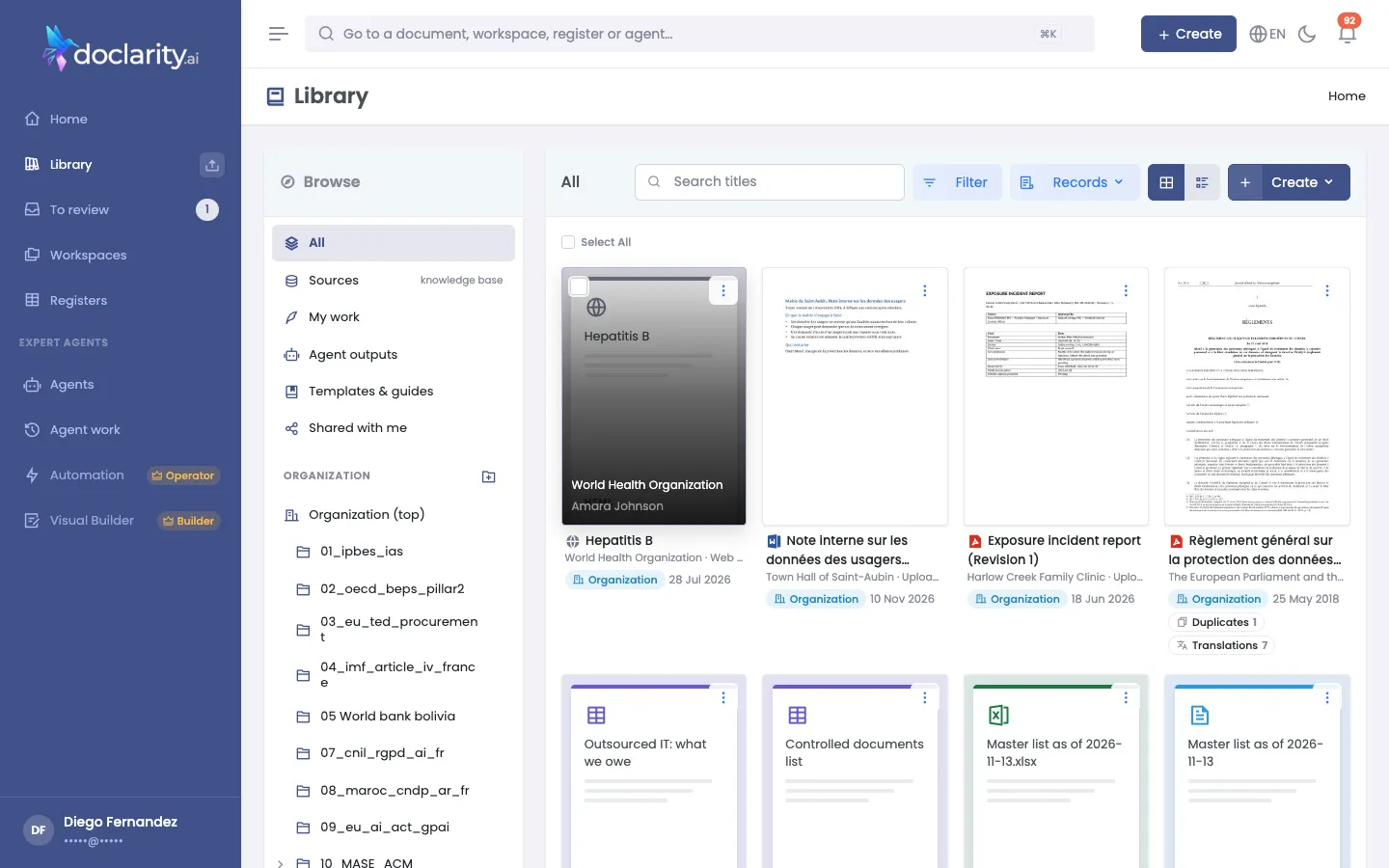
Views (top of the left column)
Section titled “Views (top of the left column)”| View | What it holds |
|---|---|
| All | Everything you can open. |
| Sources (knowledge base) | Everything search, research and agents can cite: your uploads and the documents added to the knowledge base. |
| My work | Your written documents, research threads and consultations. |
| Agent outputs | Documents produced by agents you ran. |
| Templates & guides | Templates, style guides, terminology guides and glossaries agents can use. |
| Shared with me | What colleagues shared with you. |
Folders
Section titled “Folders”- Organization: folders the whole organisation can read. Curators publish documents there. Organization (top) is the top.
- My folders: your private folders, unless you share them. Top level is the top.
- Workspaces: each workspace you belong to, with its content.
- Trash: what you deleted. See Trash.
Curators also see, at the bottom of the column, Approvals, Bodies and Publication log. Administrators see Admin trash.
Search and filter
Section titled “Search and filter”- Search titles: filters the view by title.
- Filter: Organization, Document type, Document subtype, Subject, Language, Editions in force only. Under More filters: publication date, jurisdiction, identifier, Rights, Details (Checked, Changed since the check, Never checked) and one field per classification plan.
- The Organization filter includes the documents of the body’s predecessors and units, and This body only removes them. See Bodies.
- The two buttons on the right switch between Grid view and List view (owner, location, access).
- Create: upload a file, start a document or a research thread, or create a folder where you are.
An item’s ⋮ menu
Section titled “An item’s ⋮ menu”Each card has a ⋮ menu: info, share, move, publish a version, export, add to the knowledge base, move to trash. You only see what your rights allow.
Tick several cards (or Select All) to act on all of them at once.
Reading a card
Section titled “Reading a card”A card shows the type (EDITABLE DOCUMENT, REGISTER…), the owner (Me), the access (Private, organisation, workspace), the date, and for an agent output: Generated, the number of Sources and Other runs.
Known limits
Section titled “Known limits”- Search titles does not read document content. To search the text, use keyword search or a research thread.