

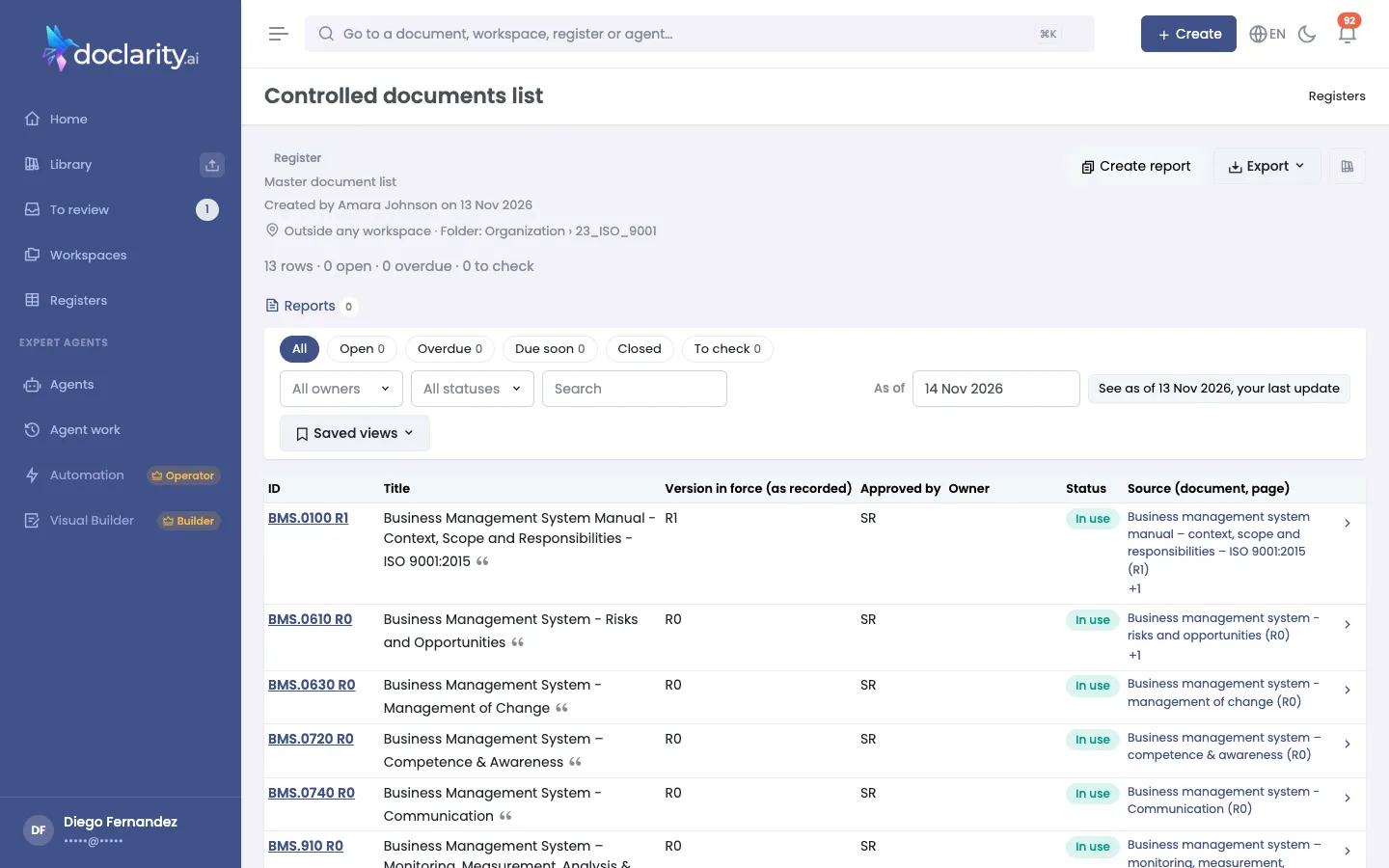
Master document list
What it is for: keeping the master list of your procedures, policies and forms without updating it by hand, and seeing where your current list is wrong.
It is done on a register of the Master document list type.
Update the list
Section titled “Update the list”- Open the register › Update the master list.
- Choose the folder or workspace that holds your documents, and the date.
- Your master list (optional): your current table, to compare.
- Update the list.
Doclarity proposes one row per document number, with the edition in force at that date. The summary gives the documents in force, those to decide, the differences with your list and the documents left aside. The result is also saved as “Master list as of [date]”, with an Excel file.
Read the list
Section titled “Read the list”- Columns: ID, Title, Version in force (as recorded), Approved by, the owner, Next review date, Status.
- Statuses: Draft, Approved, In use, Obsolete. On import, “Applicable” or “In force” become In use. An unknown status is shown as written with “(not recognised)”.
Review reminders
Section titled “Review reminders”A reminder goes out 30 days before the next review date, then on the day. A late review is flagged once, and the document’s card in the Library shows “Review overdue”.