

Runs and results
What it is for: finding what an agent produced, what it read and what it cost.
The list of runs
Section titled “The list of runs”Menu › Agent work. Each row shows the agent, the request (Question / Brief), the workspace, what was Produced, the Status, Tokens, Credits, Execution Time and Date.
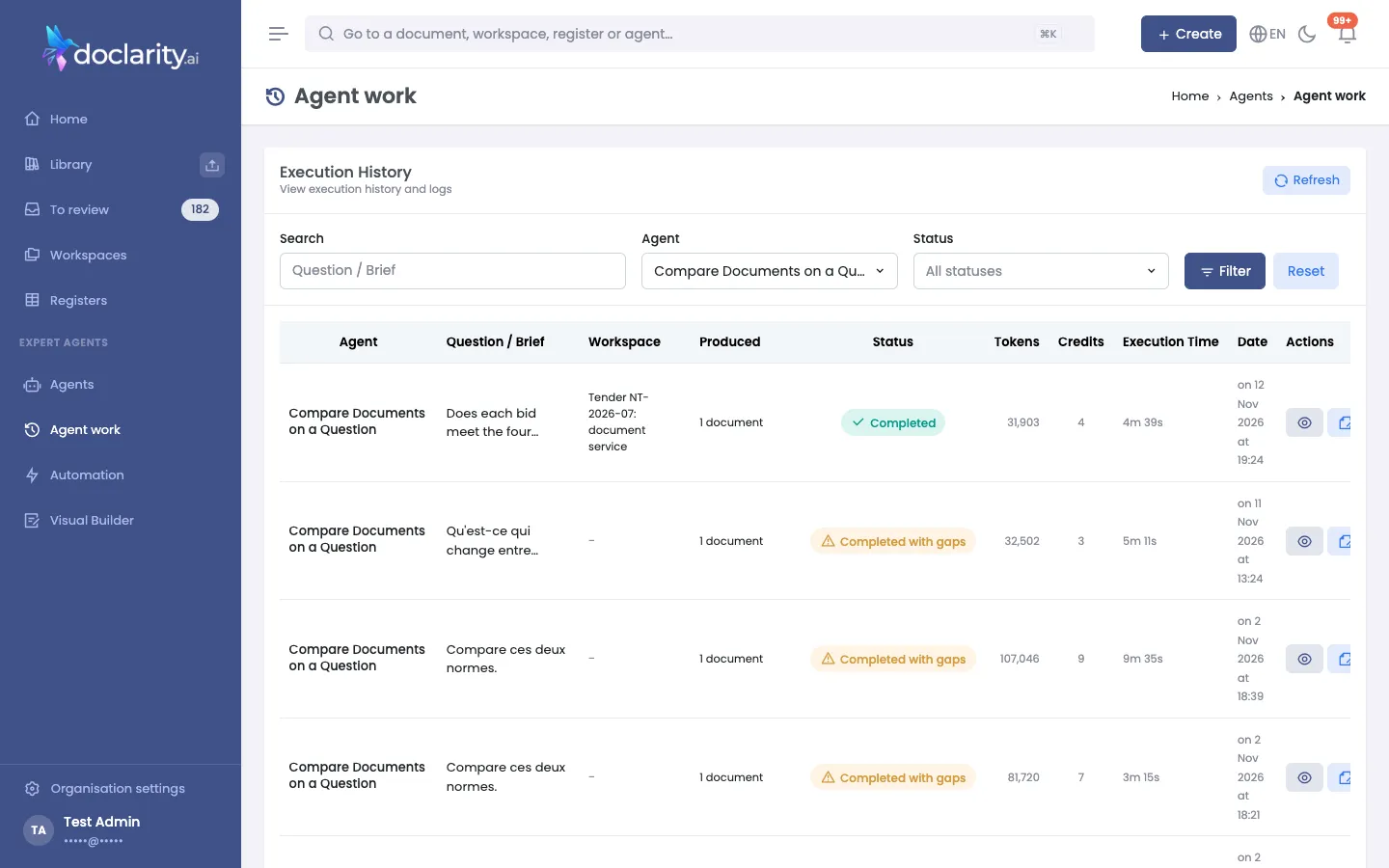
- Search, Agent and Status filter the list. It refreshes by itself, and Refresh reloads it now.
- Statuses: Completed, Completed with gaps (a result was delivered but not everything was found), Queued / Running, Failed. The Review needed badge means an agent is waiting for your decision.
- Row actions: Open execution, Open the deliverable in Editor.
A run’s page
Section titled “A run’s page”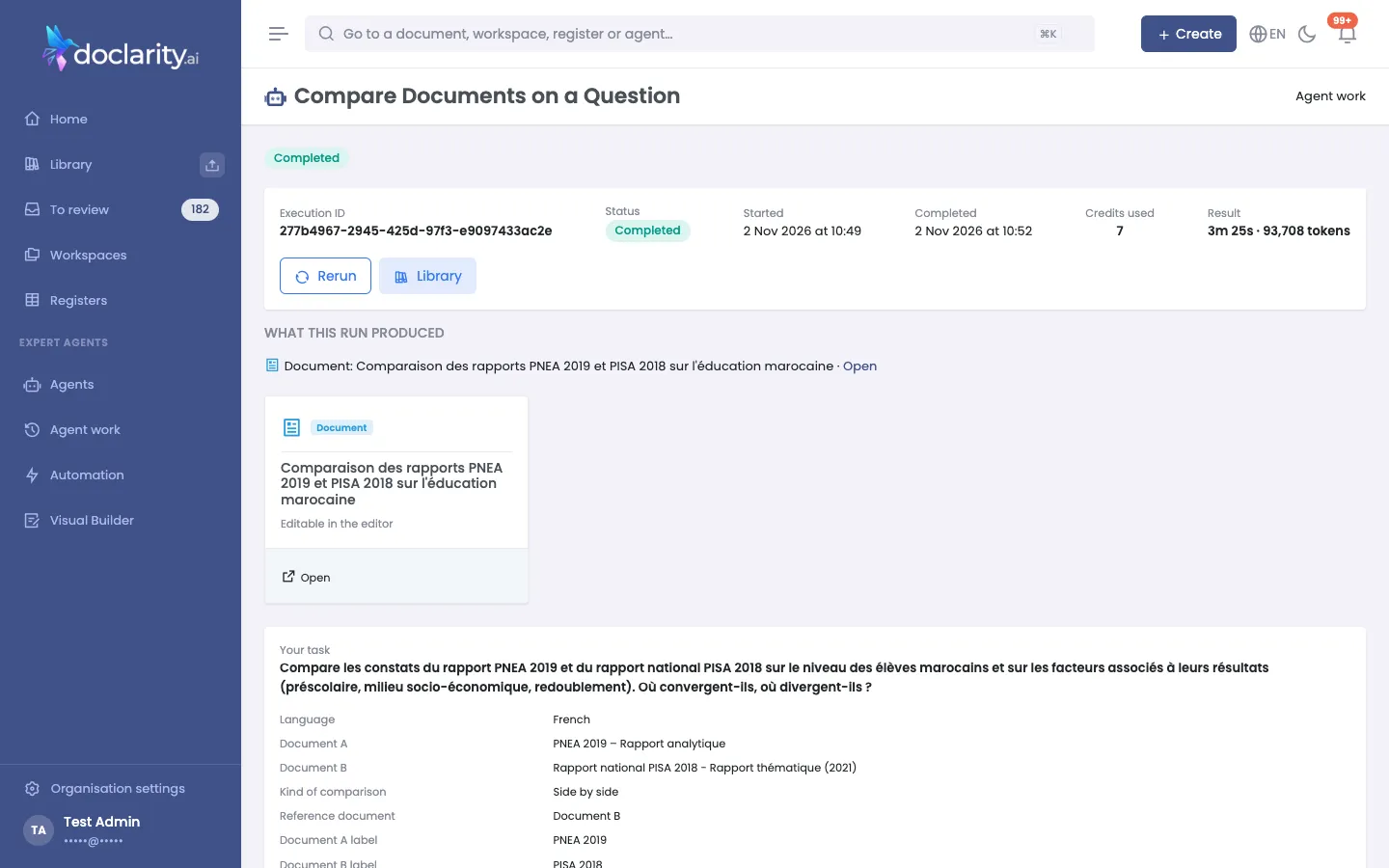
- At the top: Execution ID (to give to support), Status, Started, finish time, Credits used, and the duration.
- What this run produced: the document, with Open. For some agents, rows to add to a register (Add to a register).
- Your task: what you asked and the settings used.
- Sources used: the documents read. A click opens each one. Replaced editions the agent set aside are listed separately (Not read: replaced editions), with Include and run again.
- Library: shows the deliverable in the Library.
While running, the page shows progress step by step. The run continues if you close the page.
Rerun starts the agent again with the same inputs. It is a new run, which uses credits like the first.
Resume an interrupted run
Section titled “Resume an interrupted run”For agents that read a lot (translation, comparison, summary, guides, legal mapping), a Failed, Cancelled or limit-stopped run can be resumed:
- Open the run’s page.
- Click Resume. Parts already read are reused, and only the rest is read.
- A new run starts and says it Resumes the original run.
Resume only shows if the run kept parts the agent’s current version can reuse. Otherwise, use Rerun.
Only the person who started the run can resume it, once. The cost warning can show, as for any start. See Long tasks, stopping and resuming.
Known limits
Section titled “Known limits”- A Failed status shows the reason and what you can change before trying again.
- Completed with gaps is not an error: read the part of the document that says what is missing.