

Find your way around
What it is for: knowing where everything is before you start.
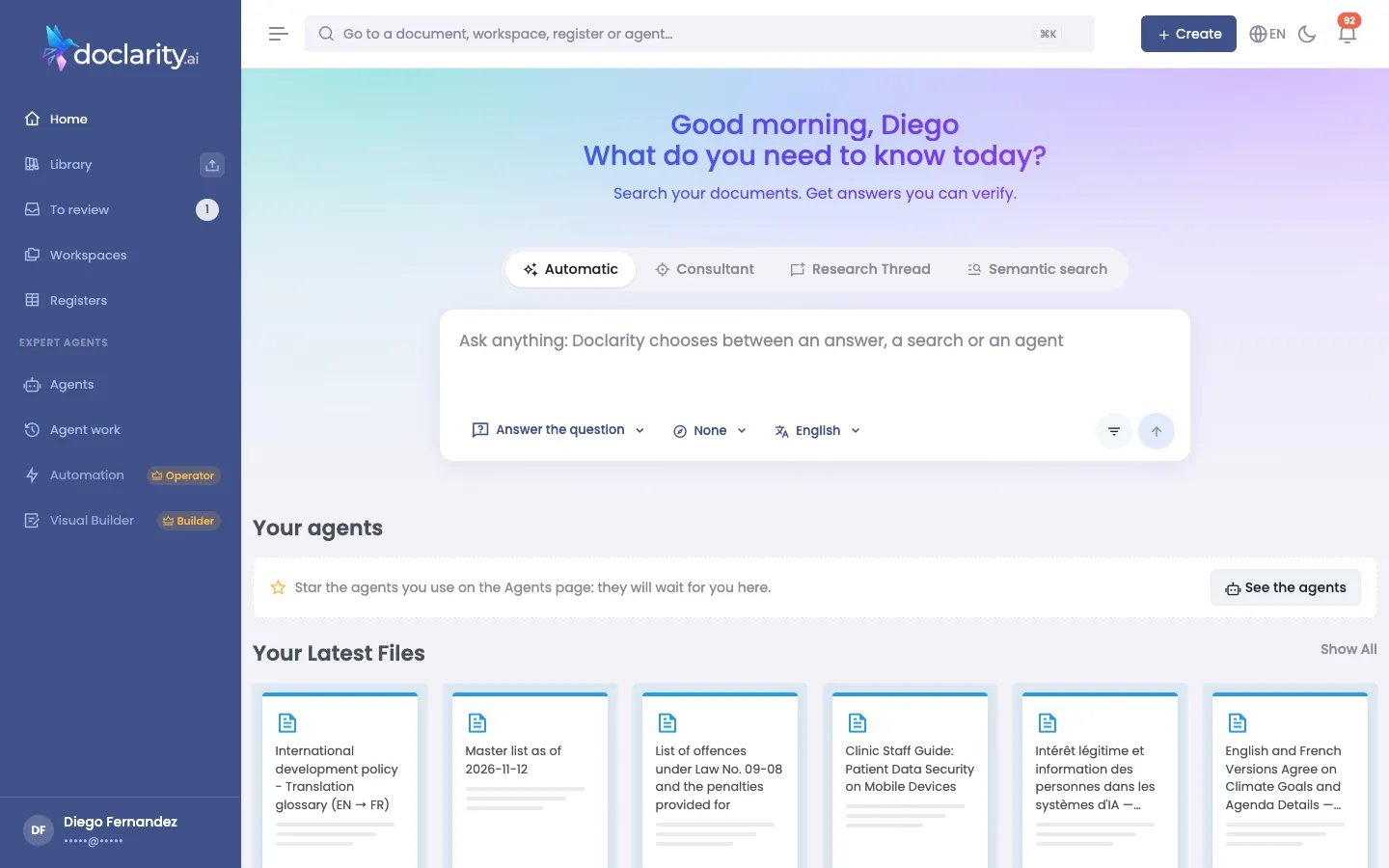
The left menu
Section titled “The left menu”| Entry | What you find there |
|---|---|
| Home | The question box, your favourite agents, your latest files. |
| Library | Every document you can open. The icon on its right opens the import page. |
| To review | What waits for a decision from you. The number counts items, and a red dot means an overdue action. |
| Workspaces | Your shared working files. |
| Registers | Decision, action and other registers. |
| Agents | The list of expert agents. |
| Agent work | The history of your agent runs. |
| Automation | Agents that start on their own, with no click (Operator plan). |
| Visual Builder | Build your own agents (Builder plan and above). |
With the Access plan, the menu only shows Home and Library, without Create.
An entry with a crown and a plan name (for example Operator) is not in your plan: a click explains what it does and which plan includes it. To get it, ask your organisation’s owner: only the owner changes plans.
At the bottom of the menu:
- Organisation settings: shown to administrators and the owner (details).
- Your name: Profile, your credits, My usage, Guided tour, FAQs, User Manual, Change Password, Logout.
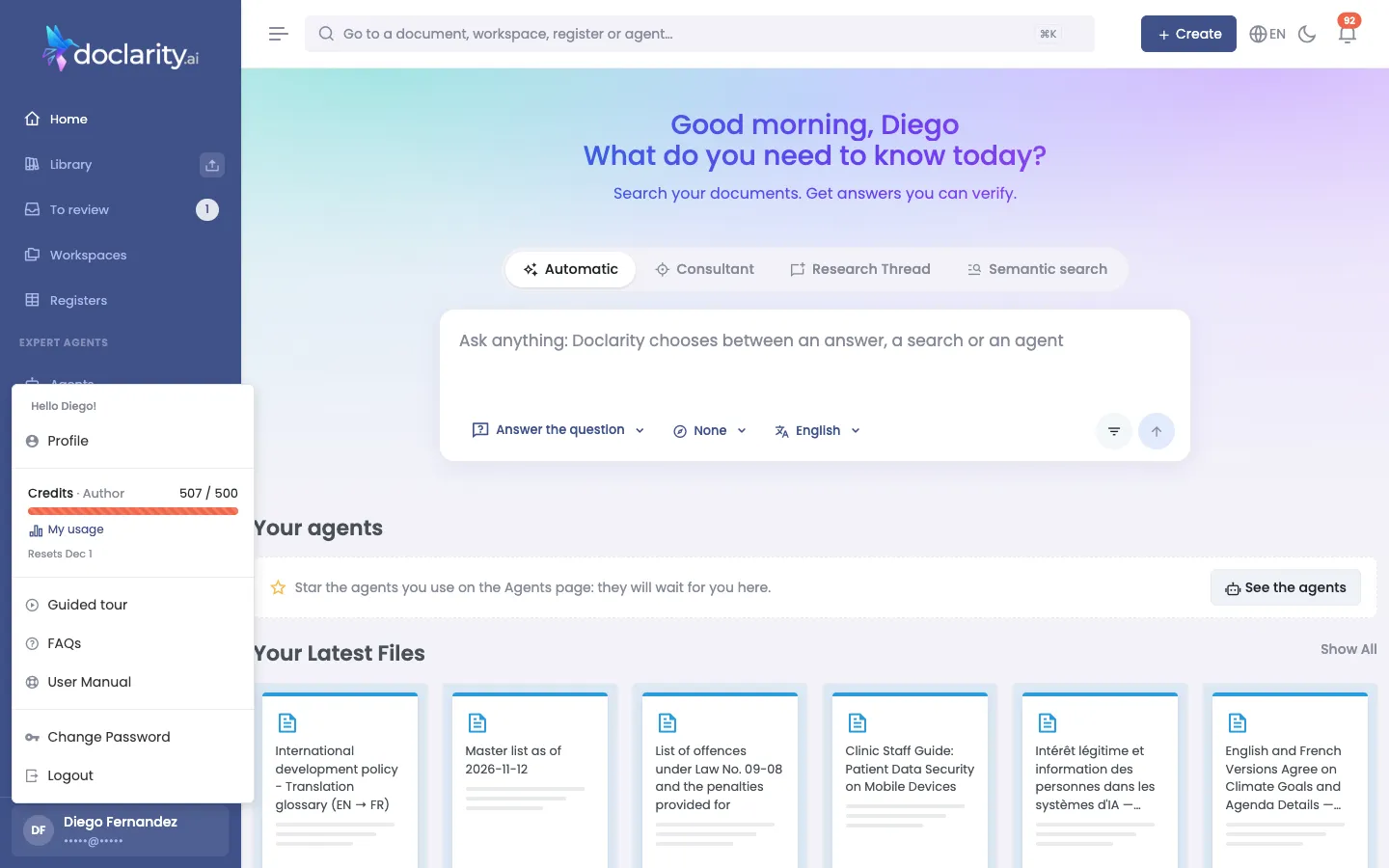
The top bar
Section titled “The top bar”- Go to a document, workspace, register or agent…: type a few letters to open an item directly. Shortcut:
Ctrl+K(⌘+Kon a Mac). - Create: everything new starts here, from any page.
- EN (the globe): the interface language. See Languages.
- The moon: light or dark theme.
- The bell: your notifications (document ready, publication request, run finished…). See Notifications.
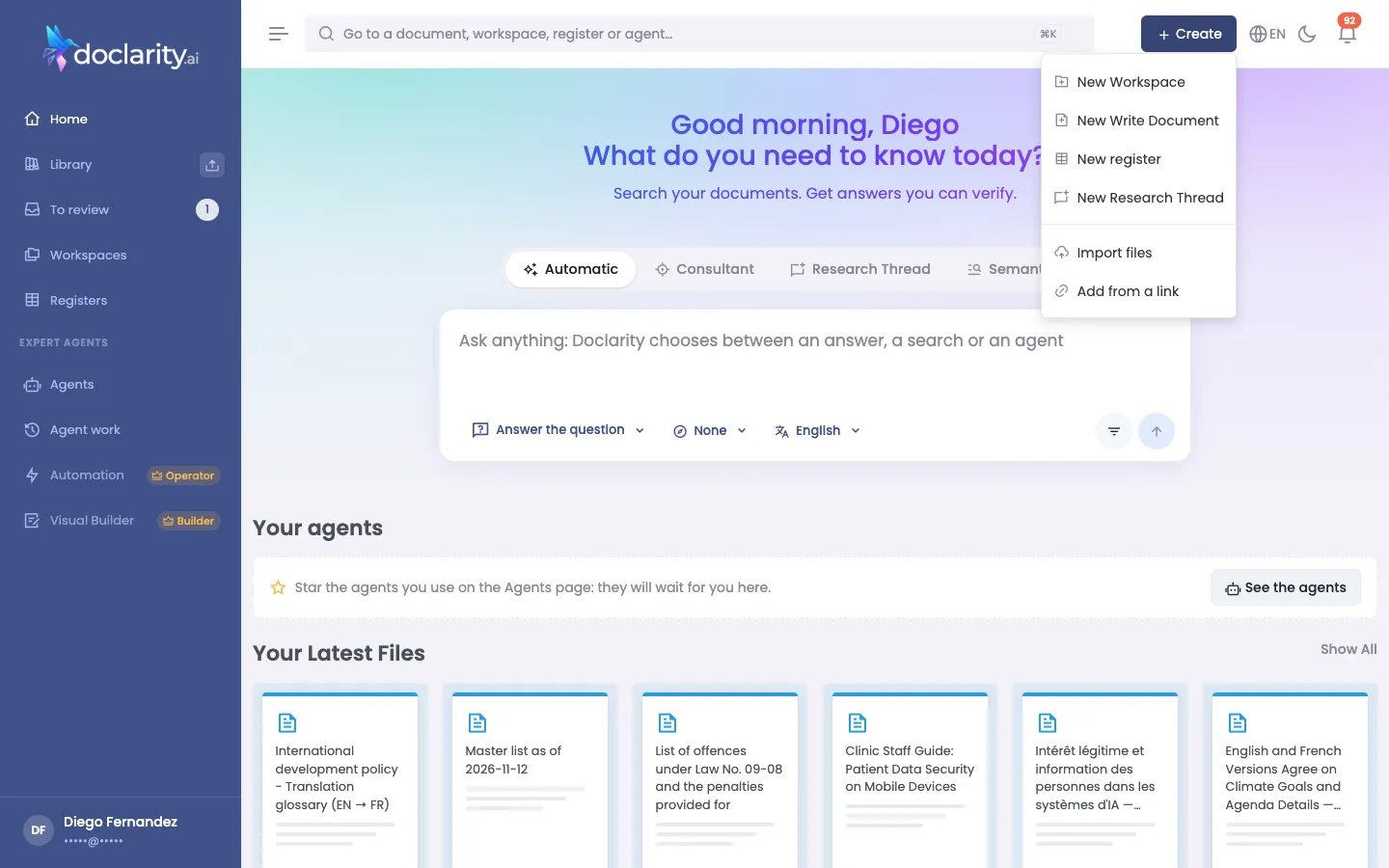
Create offers: New Workspace, New Write Document, New register, New Research Thread, Import files, Add from a link. Depending on your plan, some entries do not show.
The big box asks your documents a question. Four tabs above it:
- Automatic: Doclarity chooses between an answer, a search or an agent from what you write.
- Consultant: a conversation that proposes agents to chain. Nothing starts without your click. Depending on your plan, the tab has a crown. See The Consultant.
- Research Thread: one question, one cited answer. See Research thread.
- Semantic search: find documents by meaning. See Keyword search.
Under the box: the kind of answer (Answer the question), the analytical framework (None by default), the answer language, and the filter button to narrow the sources.
Further down: Your agents (the ones you starred on the Agents page) and Your Latest Files.
The guided tour
Section titled “The guided tour”Every main page has its own tour, which opens by itself the first time. Skip closes it for this session. Don’t show again stops it opening by itself, on all your devices. To replay it: your name at the bottom of the menu › Guided tour.