

Check Claims & Add Citations
What it is for: you provide a draft. The agent finds each factual claim, looks for support in your sources, rates it as supported, partly supported, conflicting or not found, and adds citations where there is support.
When to use it: before releasing a press release, a speech, a draft opinion or a note written outside Doclarity.
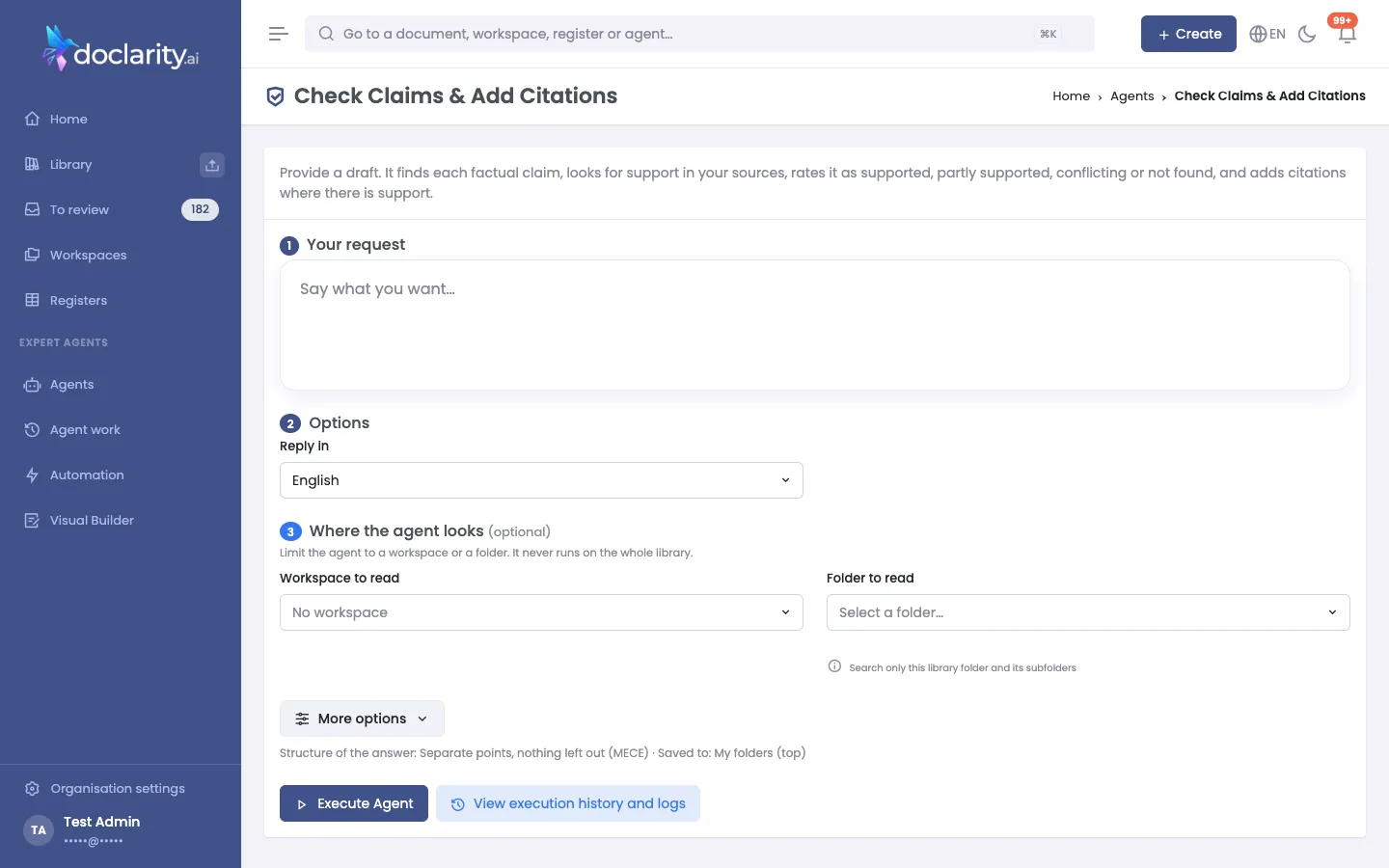
- Agents › Check Claims & Add Citations › Execute.
- Paste the text to check into Your request.
- Reply in: the report’s language.
- Where the agent looks (optional): the workspace or folder holding the reference sources. Recommended: checking is more accurate on a focused set.
- Execute Agent.
What you get
Section titled “What you get”An editable document: your text, each claim rated supported, partly supported, conflicting or not found, quotes added where a source supports it, and the reference list.
It depends on the length of the text (the number of claims) and on the number of sources read. A one-page text costs little.
Known limits
Section titled “Known limits”- “Not found” means: not found in the sources the agent could read. It is not proof that the claim is wrong.
- Paste the text itself: the agent checks the request’s text, and the form takes no attached file.