

Training, who is trained
What it is for: seeing at a glance, for each person, whether their mandatory training is valid, expiring soon, expired or has no record.
It is done on a register of the Training record type. Authorisations and licences are rows of this register.
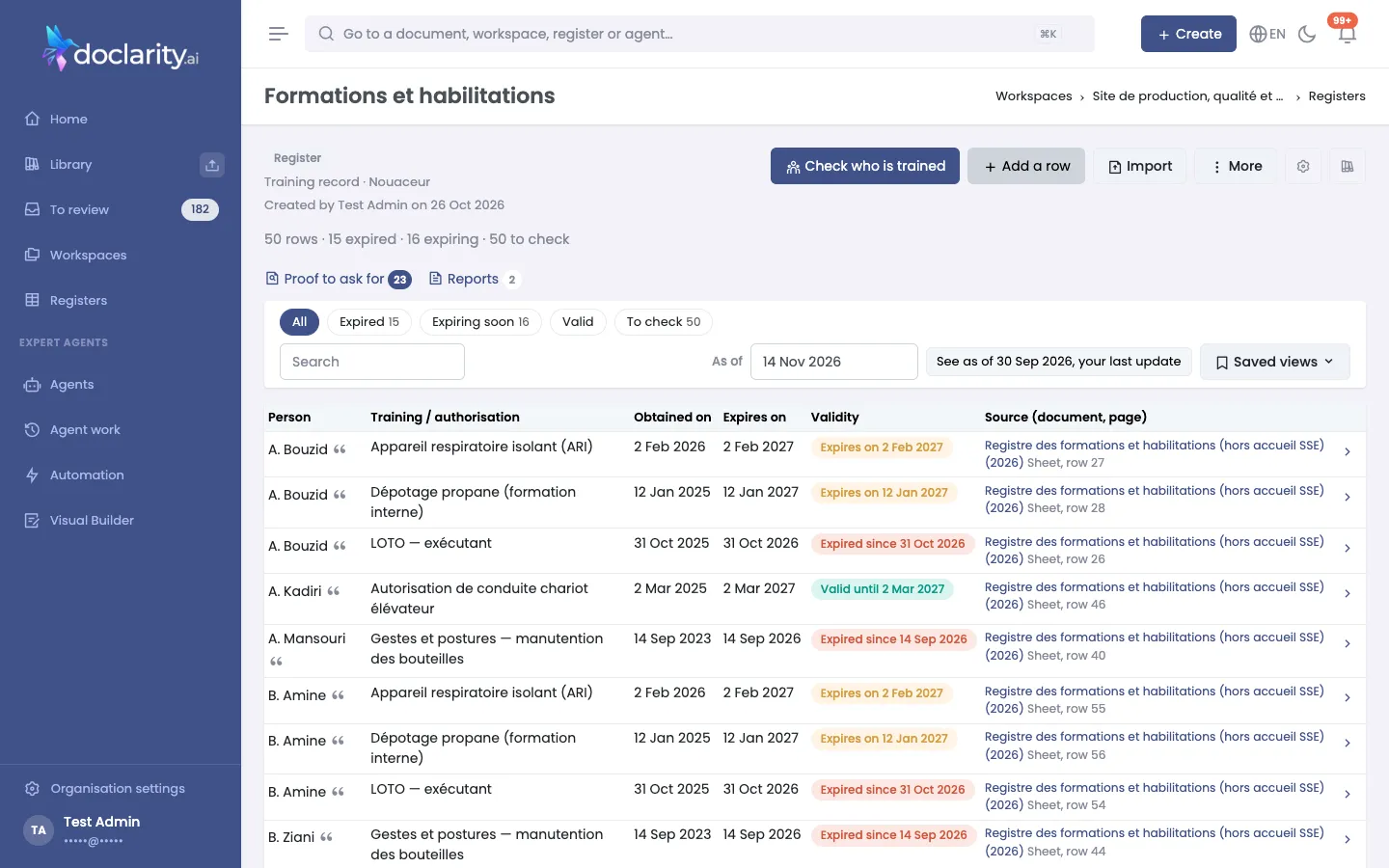
Check who is trained
Section titled “Check who is trained”- Open the Training record register › Check who is trained.
- The staff list: a spreadsheet with the people and their role.
- The requirements per role: which training each role requires.
- Date of the view: the date to check at.
- Check.
What you get
Section titled “What you get”A saved view beside the register, “Who is trained, as of [date]”, which does not change afterwards:
- the counts: Valid, Expiring, Expired, No record
- the Deviations, person by person, and the Structural gaps
- the Matches you confirmed: when a name or a training is written another way, your answer is kept for the next times
If nothing is expired or without a record: “No cell is expired, expiring or without a record on [date].”
The proof to ask for
Section titled “The proof to ask for”Deviations can become requests for proof: Create « Proof to ask for » beside this register. Each deviation arrives there as a proposal, to confirm. The Proof to ask for section of the register shows the requests Waiting for your decision and the confirmed requests.
Reminders
Section titled “Reminders”A training that expires sends a reminder 90 days, then 30 days before the due date. See Notifications.