

Run an agent
What it is for: giving an agent exactly what it must read and what it must produce.
All forms follow the same order. Some steps exist only for some agents.
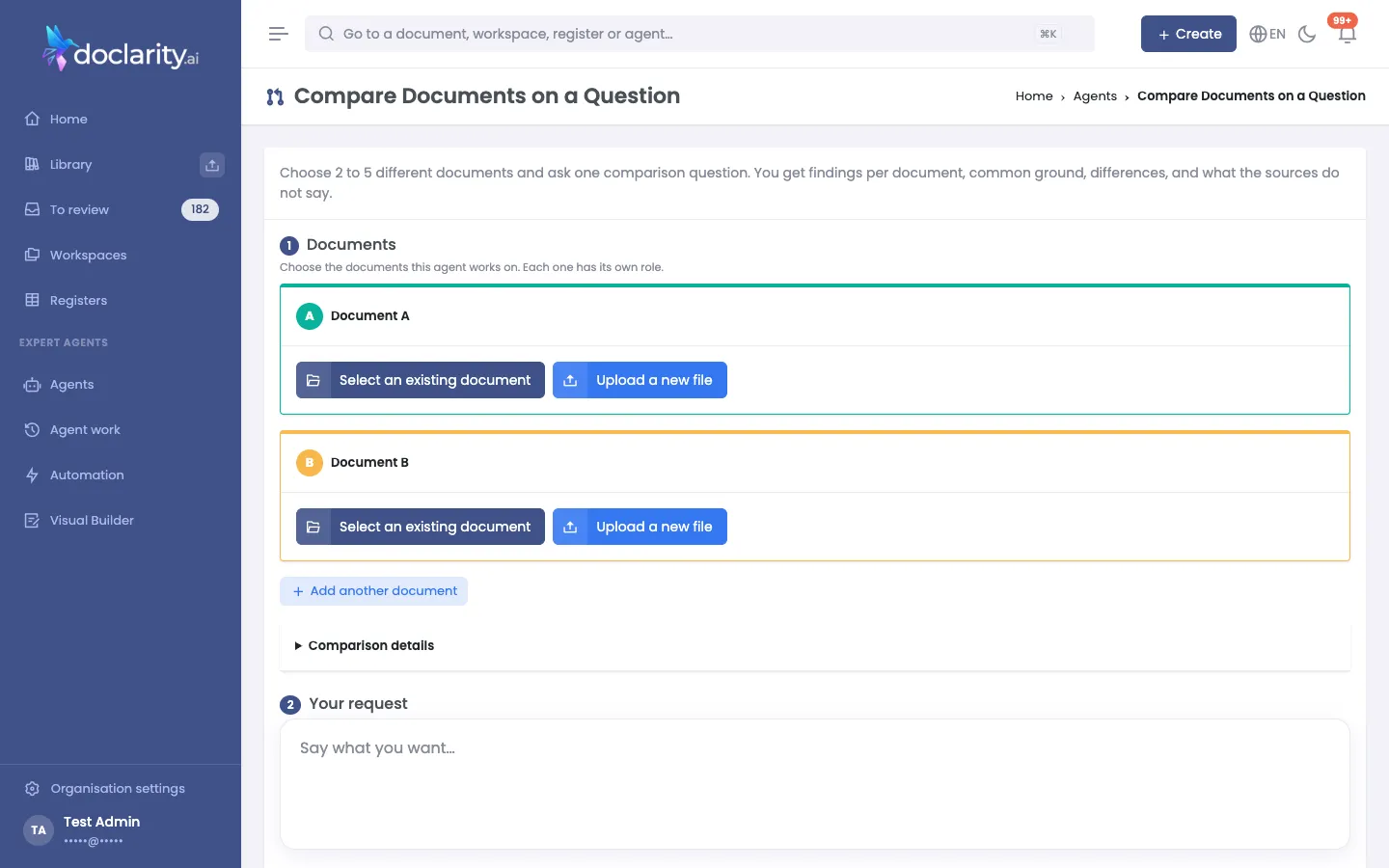
The form’s steps
Section titled “The form’s steps”- Documents (depending on the agent): for each role (Document A, Document B, Original document…), Select an existing document or Upload a new file. For other agents, attach files with the paperclip in the request box.
- Your request: say simply what the agent must do. When the request is optional, the field is called Additional instructions (optional).
- Options: Reply in (the result’s language), then the agent’s own options.
- Where the agent looks (optional): a Workspace to read or a Folder to read. The agent never runs on the whole library.
- More options: the grey line sums up what is set (structure, readers, length, checks). Click to change it.
- Writing guidance and Save the result to are separate steps when you have a saved guide or when the form does not yet know where to save. Otherwise, they sit under More options.
- Click Execute Agent.
The settings
Section titled “The settings”- Structure of the answer: a reasoning structure (MECE, for example), or none.
- Who will read it: who the text is written for.
- Document Length: for example Short (1-2 pages, ~1,500 words), Medium (5-7 pages, ~3,000 words), Long (10+ pages, ~8,000 words). Some agents also offer a presentation (slides).
- Strict verification: on, text that could not be checked against the sources is not kept. Off, it is kept and flagged with a comment.
- Writing guidance: saved guides (Terminology guide, Writing Style Guide, Translation glossary, Word template (optional)) so the agent follows your terminology and style. Guides never add facts.
- Save the result to: a Workspace to save in or a folder. Default: My folders (top).
The “Long and costly task” warning
Section titled “The “Long and costly task” warning”Before starting, Doclarity sizes the task. If it may take long or use many credits, a box shows:
Long and costly task. This task reads a lot of text: it may take a long time and use a large share of your credits. The credits it actually uses will show in the run.
You choose Run anyway or Cancel. If your balance may not be enough, the box says so: if the credits run out, the run stops and keeps what is already done.
At zero credits, the start is refused: Your credits have run out. See Credits and usage and Long tasks, stopping and resuming.
After you start
Section titled “After you start”The agent runs in the background: you can leave the page. An Agent run finished notification arrives at the end. See Runs and results.
Known limits
Section titled “Known limits”- 20 documents at most per run (80 or 100 for some quality agents).
- A very large task (over 3 million characters, around a thousand pages, and less for some agents, see their page) is refused: reduce the number of documents.
- A run stops as a safety measure if it goes far beyond what was expected. What is done is kept.