

Terminology Extractor
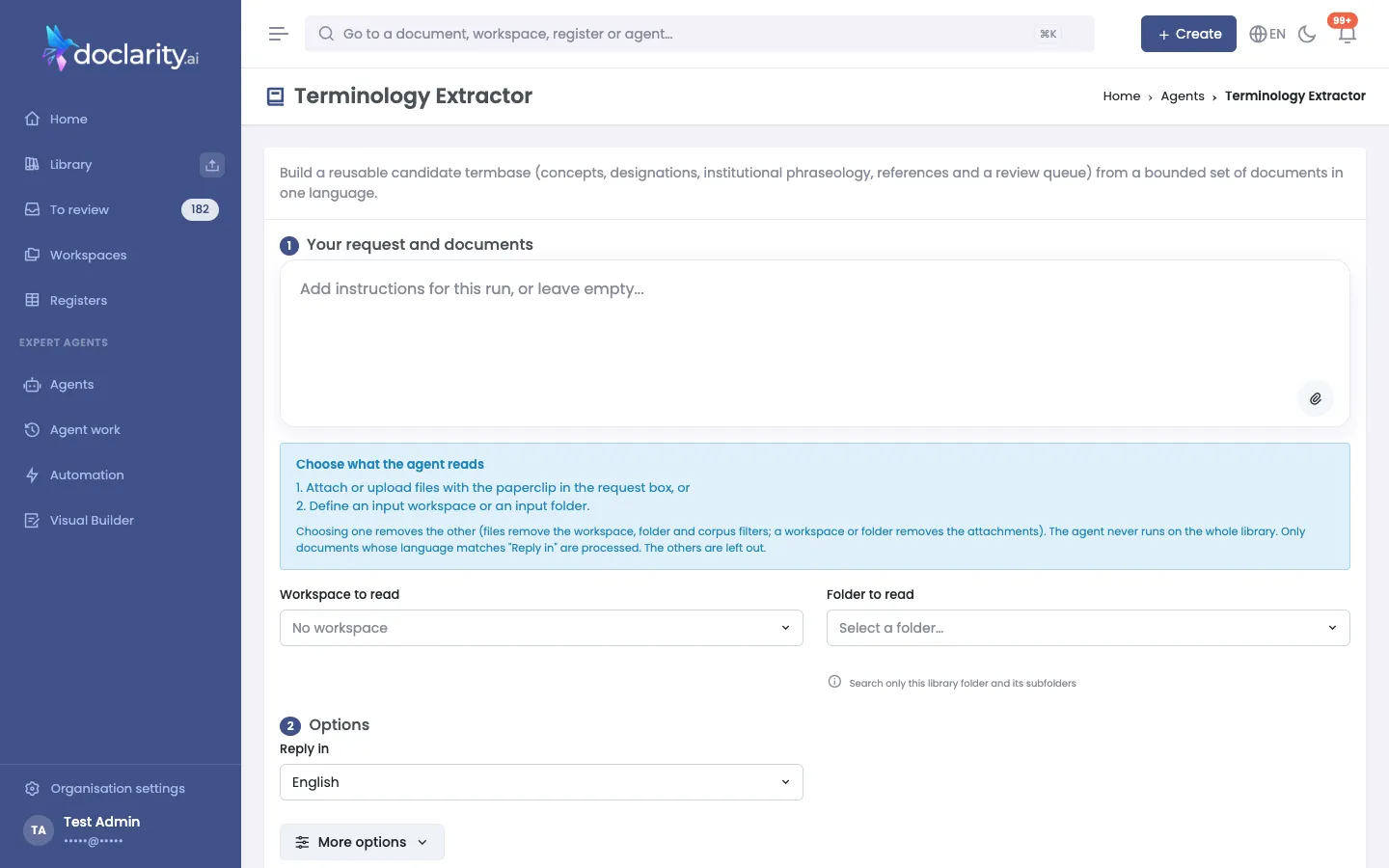
What it is for: building a reusable candidate termbase (concepts, designations, institutional phraseology, references and a review queue) from a bounded set of documents in one language.
When to use it: fixing an institution’s house vocabulary (the terms of the education reform in French, then in Arabic, say) so that writing and translations use it.
- Gather the reference documents in a folder or workspace, in one language.
- Agents › Terminology Extractor › Execute.
- Your request and documents: attach files with the paperclip, or choose an Workspace to read or Folder to read. Choosing one removes the other.
- Reply in: the language of the documents to process. Only documents in that language are read. The others are left out.
- Execute Agent.
What you get
Section titled “What you get”A Terminology guide saved in Library › Templates & guides: concepts, their designations (preferred term, variants), institutional phraseology, references, and a review queue for the cases to settle. Review it, then pick it in other agents’ Writing guidance or in the translator’s Translation guidance.
It depends on how much is read: a few reports cost moderately, while a whole collection costs much more. Prefer a chosen, representative set.
Known limits
Section titled “Known limits”- One language per run. For a bilingual base, run once per language, or use the Translation Glossary.
- The guide keeps at least 100 concepts and 40 phrases. The limit rises with the amount read, up to 600 concepts and 240 phrases.
- A document whose Language field is wrong is left out: check the records first.
- 3 million characters at most. An interrupted run can be resumed.