

Summarize for Executives
What it is for: one self-contained summary for leaders: the central finding, key findings, exceptions and sources, checked against the documents.
When to use it: before a meeting, to present a long report to someone who has no time to read it, or for a summary note across several documents.
- Agents › Summarize for Executives › Execute.
- Attach the documents with the paperclip in the Additional instructions (optional) box (from the Library, or uploaded).
- If needed, write a brief: “Summary note for the director, focused on the recommendations”.
- Reply in: the summary’s language.
- More options: Who will read it, Document Length (To fit the content, Short (~300 words), Medium (~600 words), Long (~1,000 words), or a short, medium or long presentation), Strict verification, writing guidance, where to save.
- Execute Agent.
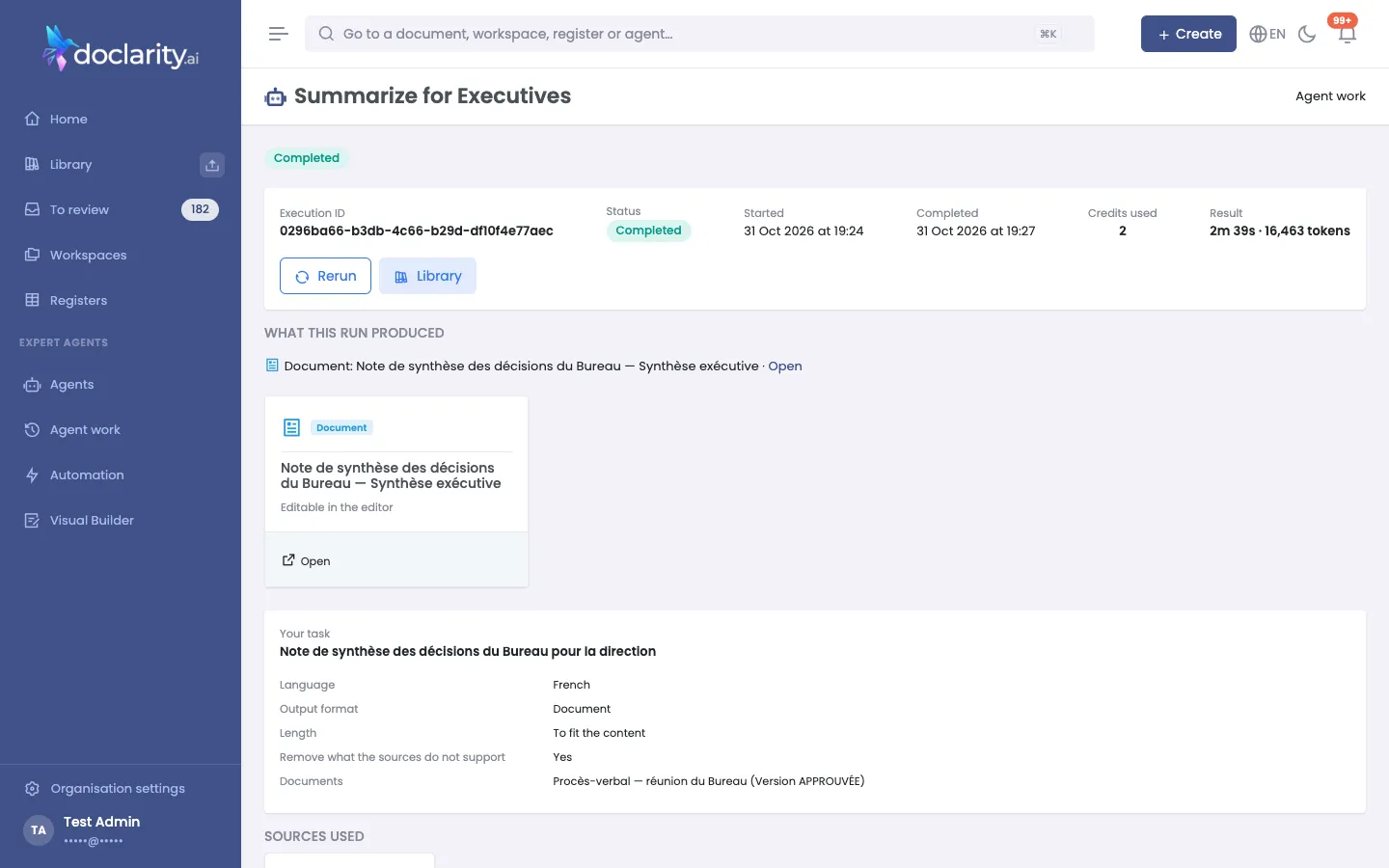
What you get
Section titled “What you get”An editable document: central finding, key findings, exceptions, cited sources. A measure that missed its target comes first in the key message. When the document holds tables of figures, the Word file includes charts drawn from those tables. Open it in the editor to adjust it, then export it as Word or PDF.
It depends on the length of the documents: a document of a few pages costs little, while several long reports cost much more and can trigger the “Long and costly task” warning.
Known limits
Section titled “Known limits”- 3 million characters at most for all the documents together.
- An interrupted run can be resumed (Resume) without re-reading what was already read.
- A summary does not replace reading the passages you will commit to: check the quotes.