

Agents
What it is for: handing Doclarity a long task on your documents (summarise, compare, verify, translate, extract) and getting an editable document back.
What an agent is
Section titled “What an agent is”Agents are included from the Author plan. With the Access plan, the Agents menu does not show.
An agent is a task you start with a form: you choose the documents, say what you want, and choose where to save the result. The agent reads, writes, checks its quotes, then produces an editable document you open in the editor.
- It reads only what you give it: chosen documents, a folder or a workspace. Never the whole Library.
- It never changes your source documents.
- Each start is a run, with its history, its sources and the credits it actually used.
The Agents page
Section titled “The Agents page”Menu › Agents. Agents are grouped by kind of work: Write & summarize, Verify & check, Compare & track changes, Extract & map, Guides & translation.
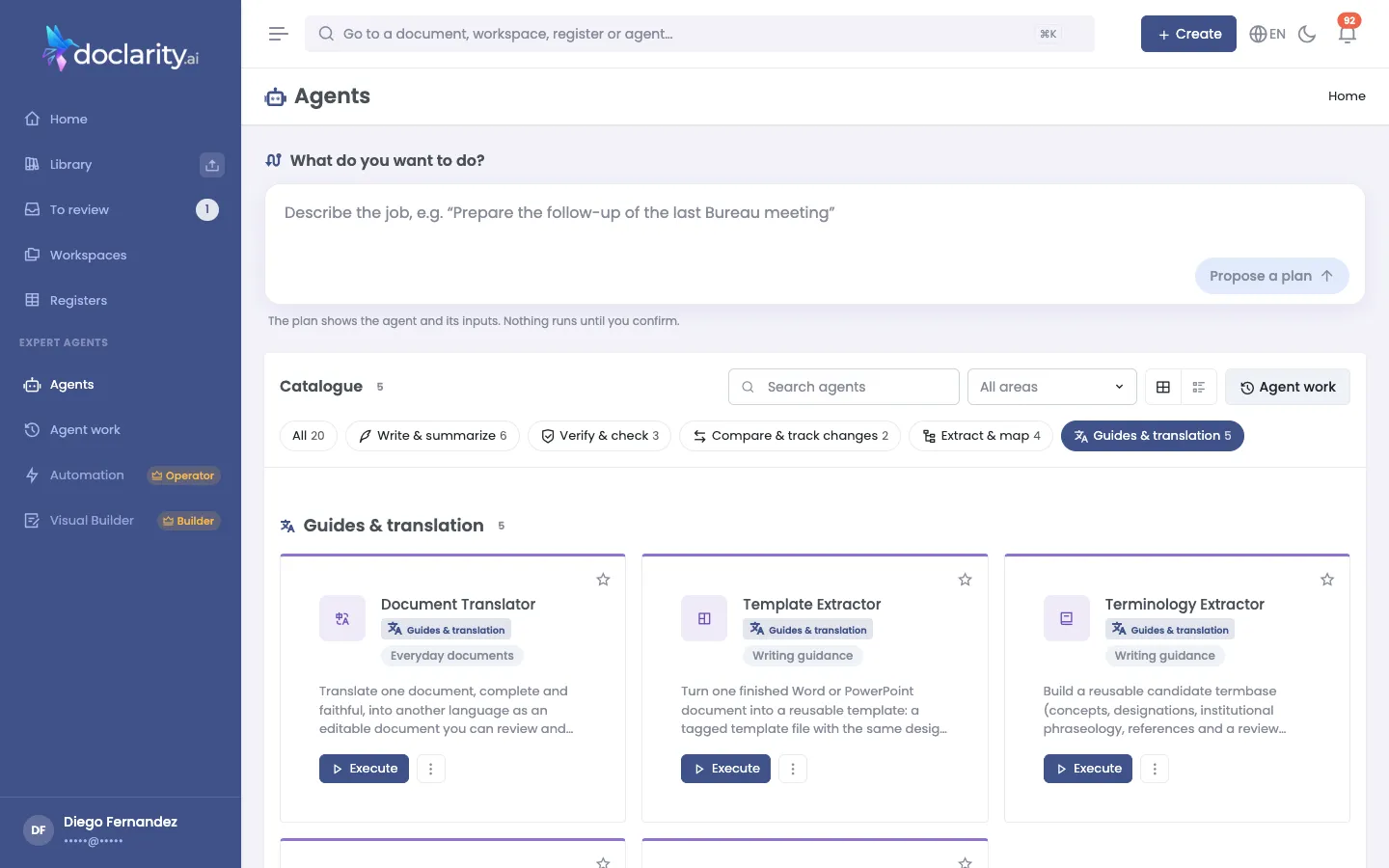
- Two lists filter: All kinds of work and All areas. If your organisation has the Quality / HSE area, the agents are grouped by activity: Audit, Management review, Procedures, Other.
- The Favourite star puts the agent at the top of the list and on your Home.
- Execute opens the agent’s form.
- What do you want to do?: describe your need and Propose a plan. Doclarity proposes the agent and its inputs. Nothing runs until you confirm.
Which agent for which job
Section titled “Which agent for which job”| You want… | Agent |
|---|---|
| A summary of one or more documents for a decision-maker | Summarize for Executives |
| A note written from your sources | Grounded Writer |
| A set of questions and answers about a body of documents | Q&A from Your Documents |
| To compare 2 to 5 documents on a question | Compare Documents on a Question |
| The exact changes between two versions | Redline & Change Log |
| To check the claims in a text | Check Claims & Add Citations |
| To know whether your documents are enough before writing | Check Source Coverage |
| To link legal texts to opinions and guides (regulatory mapping) | Match Legal Texts to Guidance |
| The decisions and actions of a meeting’s minutes | Extract Actions from Minutes |
| One page to decide on | Note for decision |
| A yes/no checklist from a text | Checklist From a Text |
| To translate a whole document | Document Translator |
| A termbase | Terminology Extractor |
| A house style guide | Writing Style Guide |
| A glossary from existing translations | Translation Glossary from Existing Translations |
| A reusable template from a Word or PowerPoint document | Template Extractor |
| To check your documents against a standard, an audit grid or a customer’s requirements | Check against a list of requirements |
| To prepare a management review | Management Review Pack |
| A procedure written, or its new edition | Procedure Writer |
| To describe the scope and context of a management system | Scope and Context |
To chain several agents (minutes, then summary, then note for decision), see The Consultant.
What an agent costs
Section titled “What an agent costs”Doclarity shows no estimate before a task. The cost depends mostly on how much text is read: minutes of a few pages cost little, while comparing two 150-page reports costs much more. When a task may be long and costly, a warning shows before it starts. The credits actually used show on the run’s page. See Credits and usage.
Known limits
Section titled “Known limits”- An agent reads at most 20 documents per run (80 or 100 for some quality agents).
- At zero credits, no new task that uses credits can start, but a run already under way finishes. See Credits and usage.
- The Agents page can also show the older Economic & Policy Brief, which this help centre does not cover.