

Extract Actions from Minutes
What it is for: building a meeting’s action list and decision log. Their rows can then be added to your registers.
When to use it: after every meeting (general assembly, bureau, committee), as soon as the minutes are available.
- Import the minutes if they are not in the Library yet. Scanned minutes go through OCR: wait for the Document processed notification.
- Agents › Extract Actions from Minutes › Execute.
- Attach the minutes with the paperclip in the request box.
- Your request: for example “Build the action list and the decision log of this meeting”.
- Reply in, then Execute Agent.
What you get
Section titled “What you get”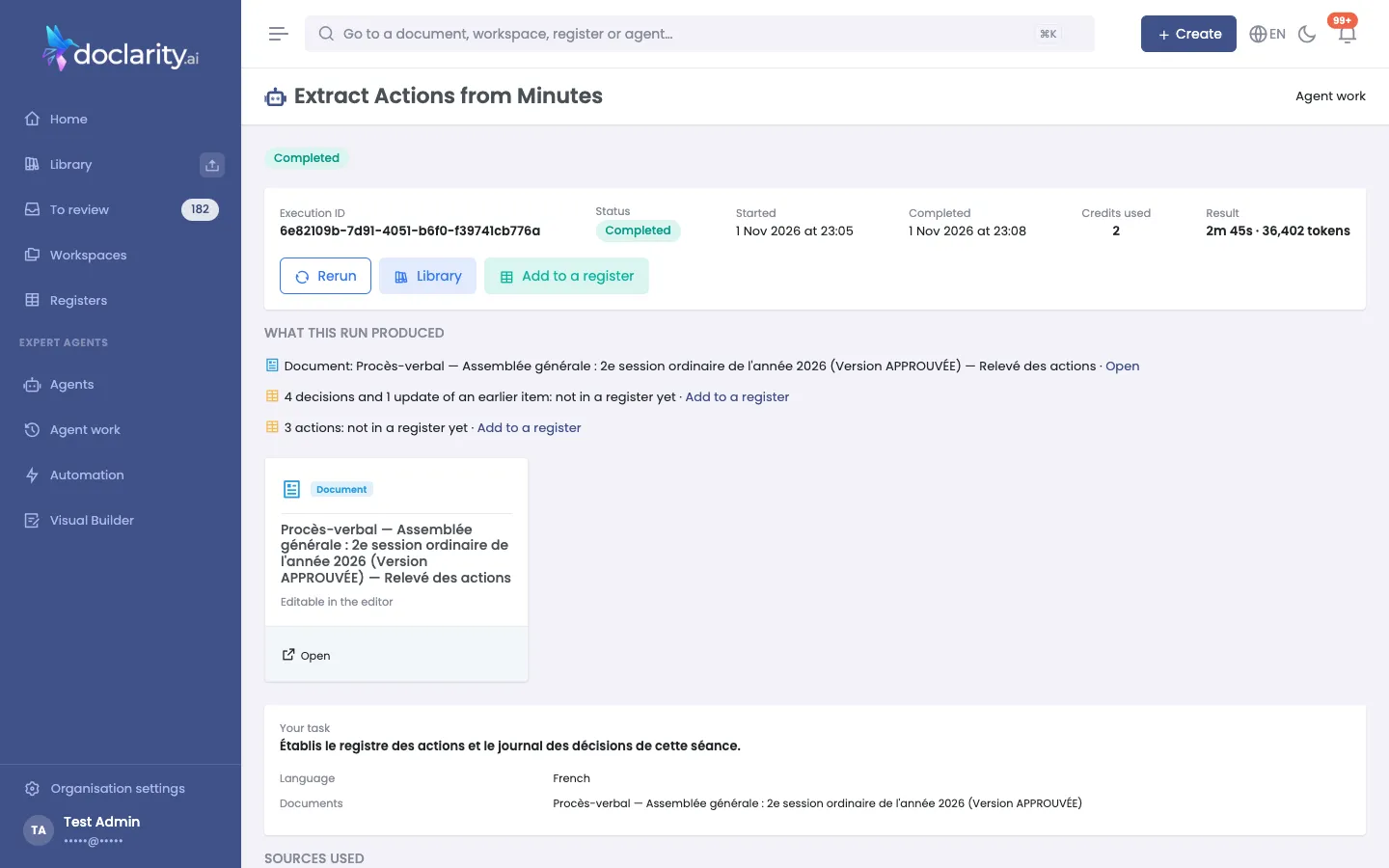
- An editable document: the meeting, its date, the minutes’ status (approved or draft), a summary, the action list (owner, due date, source) and the decisions recorded.
- Under What this run produced: «N decisions — not in a register yet» and «N actions — not in a register yet», each with Add to a register.
Send the rows to a register
Section titled “Send the rows to a register”- Click Add to a register.
- Choose a register (This workspace’s registers, or Other registers you can edit), or create one.
- Add. The rows become proposals. A person confirms each row in the register or in To review.
See Decision and action registers.
Low for ordinary minutes: the agent reads one document.
Known limits
Section titled “Known limits”- Draft minutes are flagged as such: the rows stay to be confirmed.
- A proposal or discussion point with no recorded agreement or owner is not kept as an action. The document says so.
- 1 million characters at most.