

Check against a list of requirements
What it is for: knowing, requirement by requirement, what your documents demonstrate, before an audit or a review. This agent used to be called “Standard Gap Analysis”. Searching the Agents page for “gap analysis” still finds it.
When to use it: to prepare an audit, to answer a customer’s specification, or to run a self-assessment before a certification.
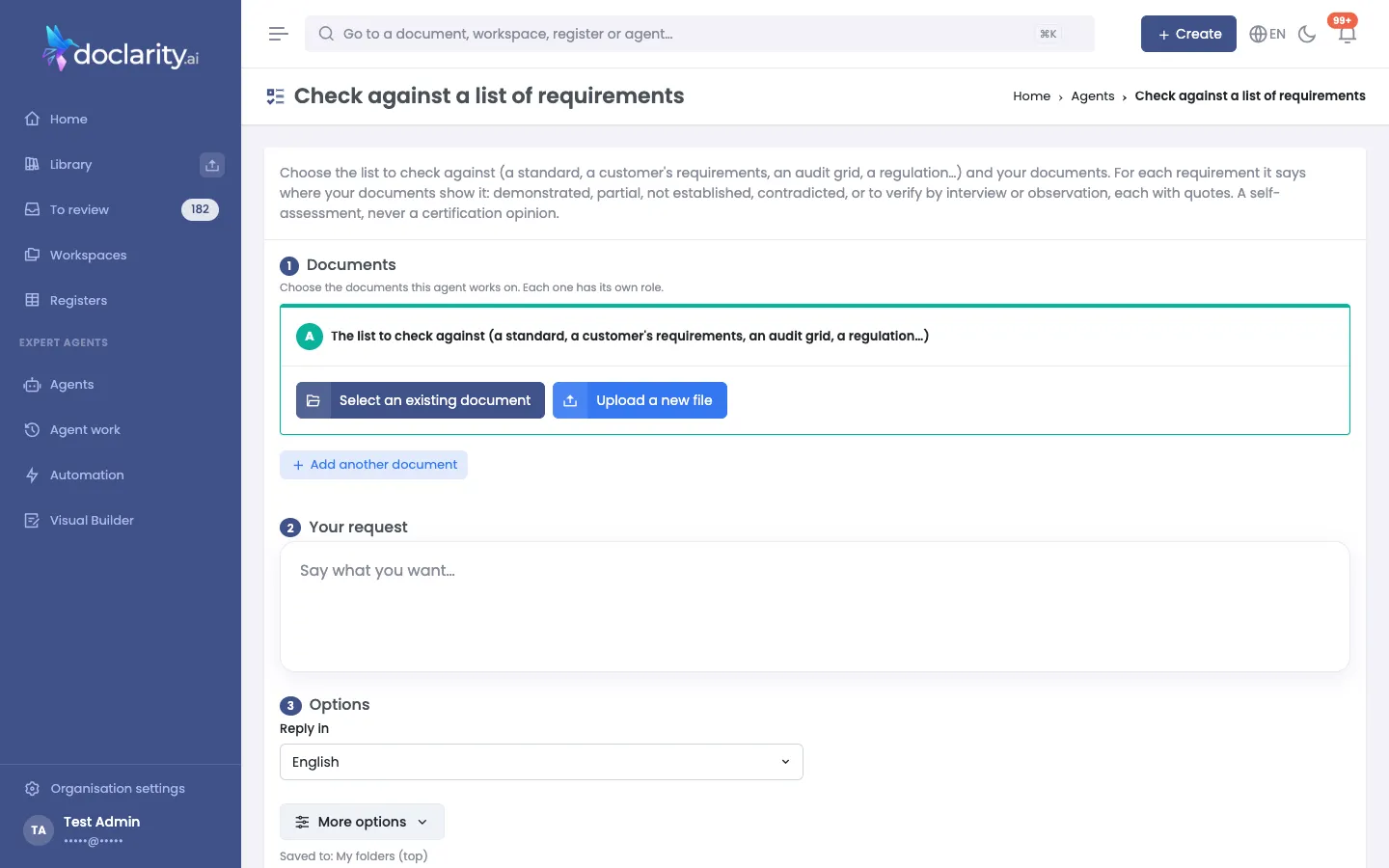
- Agents › Check against a list of requirements › Execute.
- The list to check against (a standard, a customer’s requirements, an audit grid, a regulation…): the reference text.
- Add another document shows Our documents: choose the documents of your organisation that serve as evidence, up to 100 in all.
- Your request: optional. For example the part of the list to assess (“clauses 4 to 6”) or the assessment date.
- Execute Agent.
What you get
Section titled “What you get”An editable document, “Check against the document ’…’”:
- In brief: the main gaps and what to produce first.
- Assessment frame: the reference, the scope assessed, the entity and sites, the period, and the applicability facts found (headcount, activities, sites), each one quoted.
- Coverage table: for each requirement, the status (demonstrated, partial, not demonstrated, gap found, or to check by interview or observation), with the quotes.
- Documents still to find, Interviews and observations, Contradictions and traps found, Reference and assessment limits, then Review and sign-off.
Rows that the rules flag stay for a person to decide. The proposed status is not changed. The document gives no percentage and no score.
Good to know
Section titled “Good to know”- If a checklist with a requirements tree has been confirmed for this reference, the analysis follows it.
- A requirement written in a table or a list of the reference is read like any other.
- When your documents do something less often than the requirement asks, the gap is kept.
- A document missing from Our documents is not read. A requirement can be “not demonstrated” because the evidence is elsewhere.
It depends mostly on how much text is read. A whole standard and around a hundred documents can trigger the Long and costly task warning.
Known limits
Section titled “Known limits”- 2.5 million characters at most.
- A run assesses at most 400 requirements. For a longer list, name a part in Your request.
- An interrupted run can be resumed (Resume).