

Notifications
What it is for: knowing when a document is ready, a run is finished, a due date is near or a decision is waiting for you, without watching the pages.
The bell
Section titled “The bell”The bell, at the top right, shows the number of unread notifications. A click opens the latest ones. Mark all as read marks them all, and View all notifications opens their page.
On the page: the All, Unread and Archived filters, and Archive on each notification. When there is nothing: “You are all caught up.”
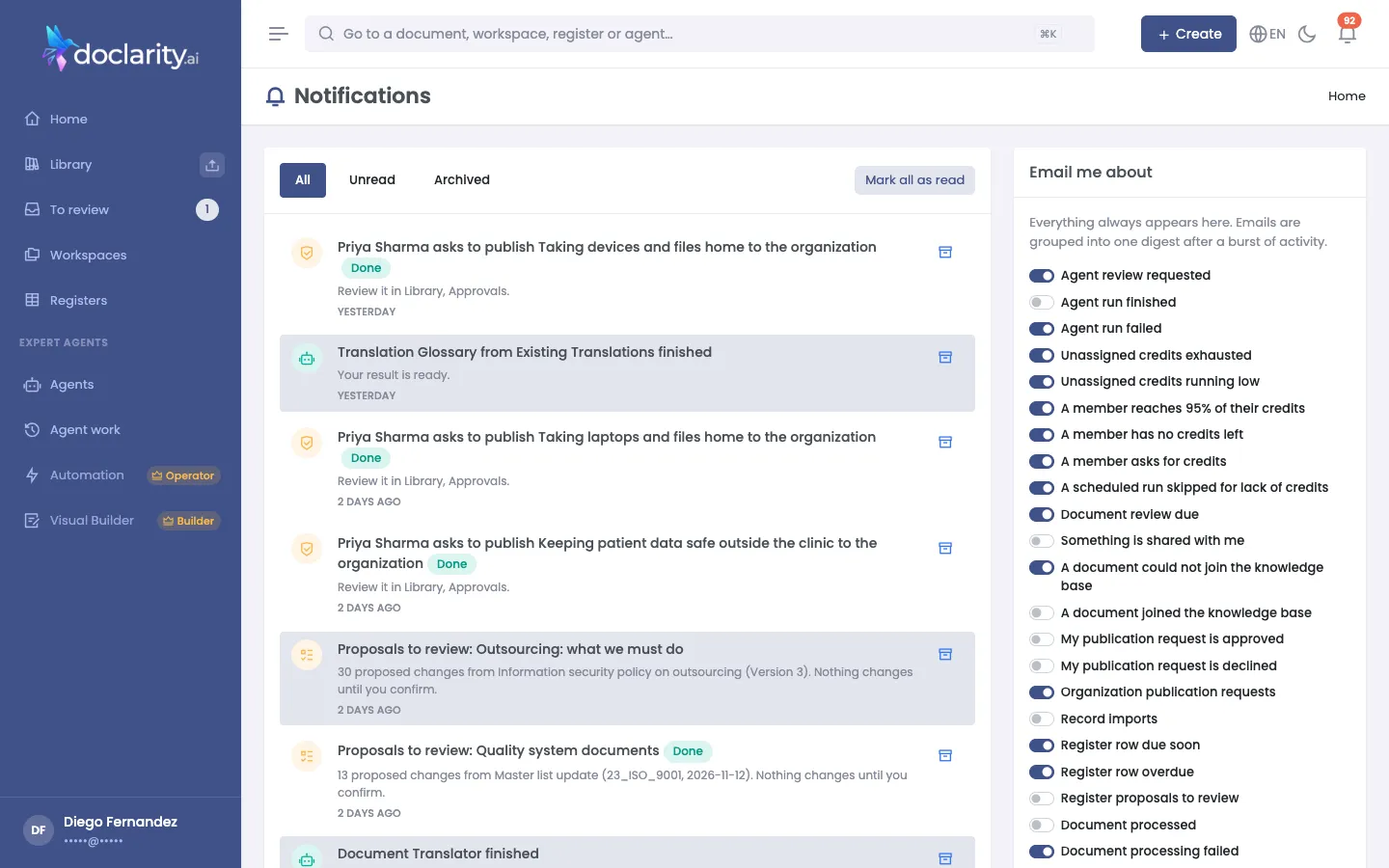
Also receive an e-mail
Section titled “Also receive an e-mail”- Bell › View all notifications.
- Email me about: tick or untick each kind of notification.
Every notification stays on the page, whether it also arrives by e-mail or not. After a quick series, the e-mails are grouped into a single digest.
The kinds of notifications
Section titled “The kinds of notifications”| Subject | Notifications | E-mail by default |
|---|---|---|
| Documents | “Document processed” | no |
| “Document processing failed”, “A document could not join the knowledge base” | yes | |
| “A document joined the knowledge base”, “Record imports” | no | |
| “Document review due” | yes | |
| Agents | “Agent run finished” | no |
| “Agent run failed”, “Agent review requested” | yes | |
| Sharing and publication | “Something is shared with me”, “My publication request is approved”, “My publication request is declined” | no |
| “Organization publication requests” (curators) | yes | |
| Writing | “Someone mentions me in a document” | yes |
| Registers | “Register row due soon”, “Register row overdue” | yes |
| “Register proposals to review” | no | |
| Credits (owner and administrators) | “A member has no credits left”, “A member asks for credits”, “A member reaches 95% of their credits”, “Unassigned credits running low”, “Unassigned credits exhausted”, “A scheduled run skipped for lack of credits” | yes |
Register reminders
Section titled “Register reminders”A register row with a due date sends “Due soon: …” before the due date, then “Overdue: …” the day after and every week while it stays overdue. The reminder goes to the row’s owner if they have an account. Otherwise it goes to the owner and the editors of the register, in a single grouped notification. The settings are in the register. See Registers.